 Rockshin MD
Stay in the document
Move between files with tabs, the folder tree, and an outline. Search and replace directly in the editor.
Rockshin MD is a free, open-source editor for local Markdown files. See formatting as you type, then switch to source mode whenever you need it.
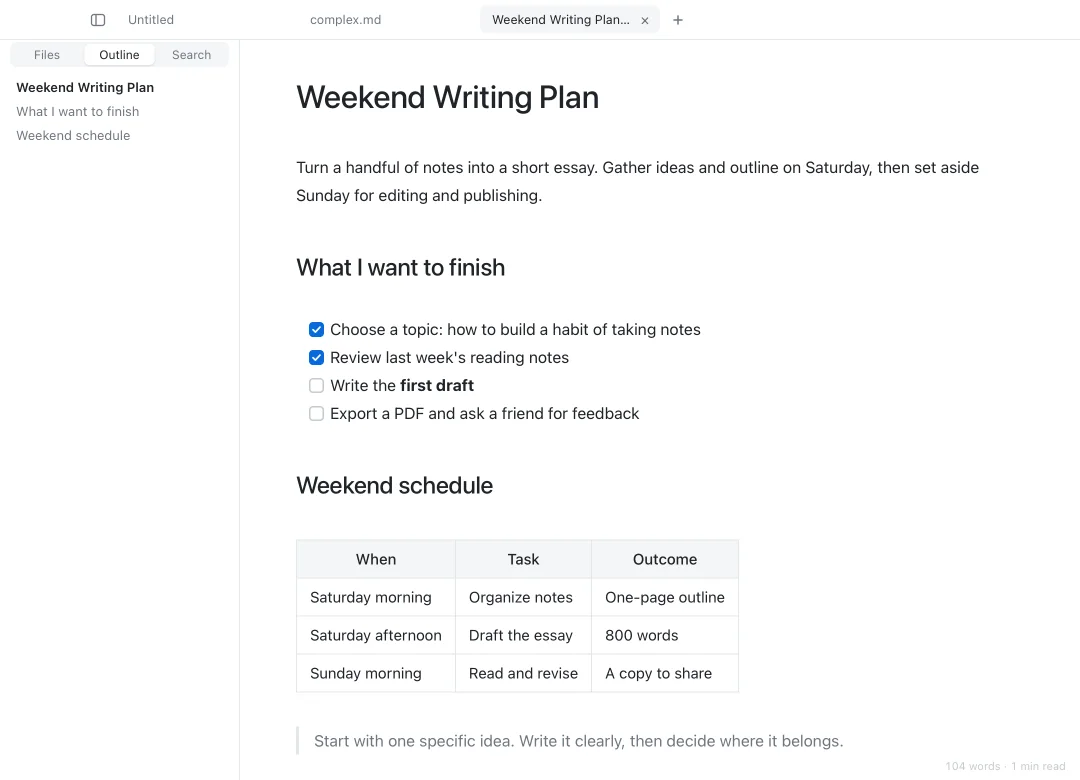
Move between files with tabs, the folder tree, and an outline. Search and replace directly in the editor.
Preview Mermaid diagrams, math, tables, footnotes, and local images as you work.
Export PDF or a single HTML file. The Markdown source stays in your folder.
macOS 13 or later. Open the DMG and drag Rockshin MD to Applications.
Download DMGRequires Microsoft Edge WebView2. Run the EXE installer.
Download EXERelease notes and checksums · v0.0.2
Rockshin MD opens and saves plain Markdown in your own folders. It does not require an account or upload documents. It contacts GitHub for update checks and connects to sources you choose to open, such as remote images.
Rockshin MD checks GitHub Releases automatically and offers signed updates. You can also check from the Rockshin MD app menu. The update archive is verified before installation.
The first Mac release has an ad-hoc signature and no Apple notarization. The Windows installer has no Authenticode signature. SHA-256 checksums are available with the release.
The interface follows the system language by default. You can also choose English or Simplified Chinese in Settings. Documents can be written in any language.