01 OBSERVE
See the whole picture.
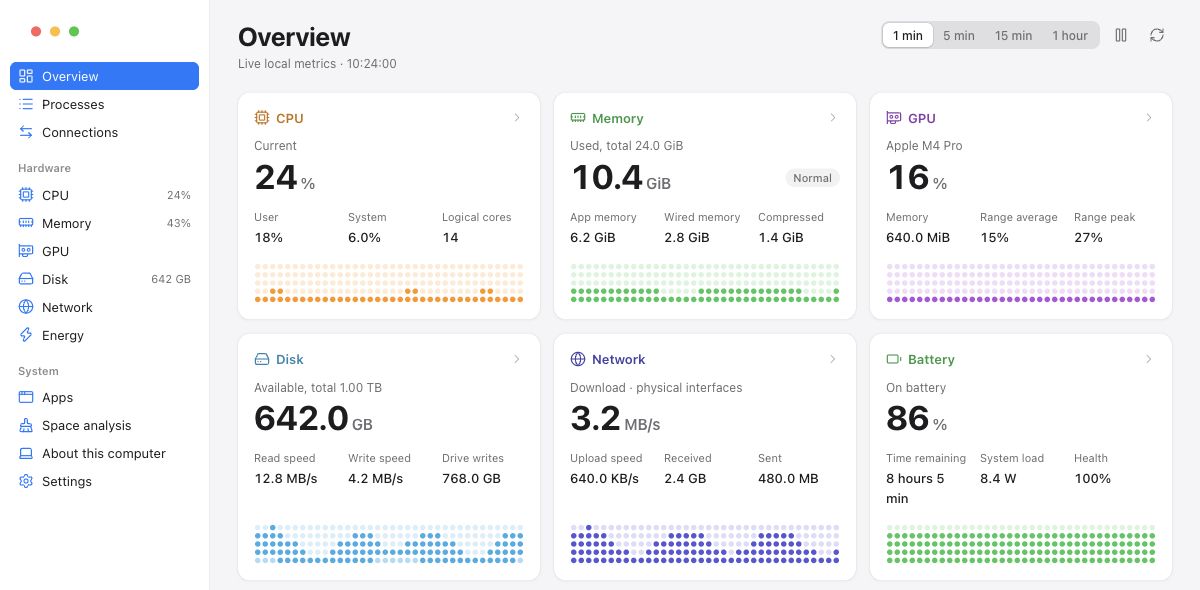
CPU, memory, disk and network, together. Explore per-core activity and up to an hour of in-session history.
ONE VIEW. SIX HARDWARE PANELS.
 RockshinOps
中文
RockshinOps
中文
RockshinOps is a free, open-source desktop system monitor for macOS, Windows and Linux. Track CPU, memory, disk, network, processes and connections, with persistent menu bar metrics.
Free & open sourcemacOS · Windows · Linux
01 / UNDER THE SURFACE
The details you need, without the noise. Go from an at-a-glance reading to the activity behind it.
CPU, memory, disk and network, together. Explore per-core activity and up to an hour of in-session history.
Inspect processes, group activity by app, and see open connections. Follow the resource usage back to its source.
Explore disk usage, then review selected items before moving them to the system trash.
BUILT TO STAY OUT OF YOUR WAY
Keep your chosen metrics in the menu bar. Native sampling continues when the window is hidden, ready when you come back.
02 / YOUR NEXT CLEAR VIEW
Choose your platform. No account, subscription or cloud dashboard to set up.
Apple Silicon & Intel
Apple SiliconIntelAd-hoc signed. Not notarized.
For x86_64 PCs
Download installerUnsigned installer. Requires WebView2.
For your desktop of choice
Debian / Ubuntu .debLinux archive.tar.gz ↓GTK 3, WebKitGTK 4.1 and a desktop tray required.
Core collectors are tested on all four build targets. Desktop interaction is verified on macOS Apple Silicon; Windows/Linux desktop and battery/GPU hardware coverage are still in progress. Available GPU and power readings depend on your hardware and drivers.
A FEW DETAILS
No. RockshinOps reads system metrics locally. History is held in memory for the current session. There is no account or hosted monitoring service to configure.
Analysis is read-only. You can review and move selected items to the system trash; emptying the trash requires confirmation. On macOS you can also review apps and possible associated files. Process Quit and Force Quit require separate confirmation.
Yes. The app follows your system language by default. Choose System default, 中文 or English in Settings; changes are saved automatically.
Absolutely. RockshinOps is MIT-licensed and built with Go, MyGo and TypeScript. Read the code on GitHub ↗